IT’S FREE ! ! !
This tool is free ! ! !
If You find this tool useful or just like it, please donate for further maintenance and development.
PRACTICAL FEATURES
Tool is quite practical, with several cool features that helps you keep track on current and folowing meetings.
WINDOWS 10 / 11
It’s created and tested for Windows 10 and 11, but feel free to try it on other Windows versions.
Please donate for  or
or  to support further maintenance and development

Features
These are some of the most inportant application features for You to enjoy while I’m working on expanding them to provide more…
Design…
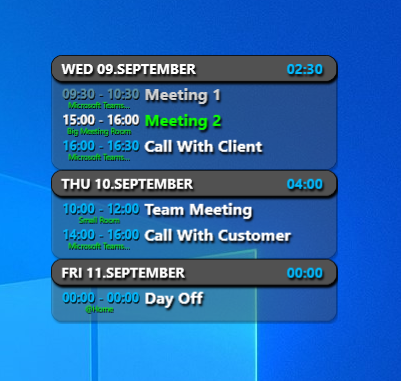
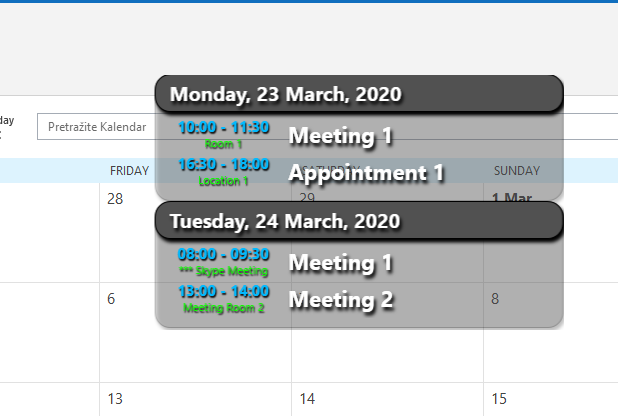
Transparent and slick design!
Always On Top…
Place this App on top of other Applications so that You won’t miss anything important!
Run When Windows Starts…
Run App with Windows, so that You can always keep track on Your meetings, even when Outlook is not running.
Number of Days to Load…
You can chose how long in advance do You want to see Your Appointments.
Chose the Right Size…
You can icrease or decrease size of the App window to fit Your needs perfectly!
Open Meeting Directly from App…
Double click on the Meeting in App wil automatically open it in the Outlook.
Time Sum…
You can quickly see how much time You have “wasted” on meetings…
Outlook…
From older Classic Outlook, app will read data directly from the app…
Online…
Pull online calendar directly from Microsoft…
Categories Colors
Meetings are now displaying colors of the categories that are assigned to them. (older Classic Outlook feature)
Start Online meeting…
Now you can start an online meeting directly from the app! Teams, Zoom, and WebEx are supported! (Online Outlook will direct you to its web page instead of starting the meeting app).
Notifications…
You will be notified before the meetings…
Themes…
Idea is to bring more Color to Your life, so support for some predefined or custom color themes is now available.
Job for Future Me
These are some of the features that I plan to develop soon…
MORE CALENDARS…
We want to support adding of more Calendars to the Application (Google Calendar, Any.Do, etc.).
MORE CUSTOMIZATIONS…
In order to bring full pleasure for all App users, there is plan to support more and more of App customizations.
Get it now!
Requirements:
.NET 4.8
Windows 10 / Windows 11
Outlook 365 / Outlook 2016 / Outlook Web
Application can be found in Microsoft Store
Open MS App Store on Web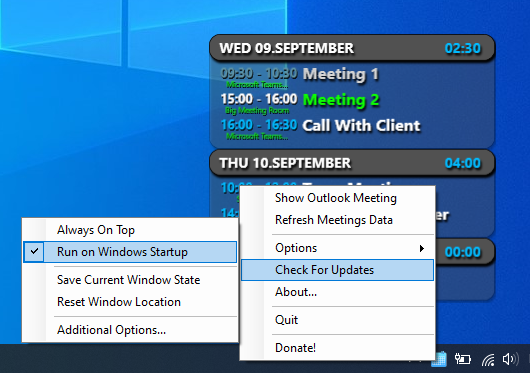

The Latest Fixes and Updates!
Here is what the latest versions have brought to you:
1.1.0.0
Interface and functionalities overhaul
Predefined and custom themes functionality
Various fixes and improvements
1.0.1.0
Microsoft Graph was introduced to pull online data
Notifications before the meeting were added
A bunch of improvements and bugs
App moved to the MS App Store
0.9.11.0
Meeting Calls from the app improved
Fixed bugs for all-day meetings
0.9.10.0
Start Meeting Calls from the app!
Teams, Zoom and WebEx
Stability of the app is improved by a lot!
Some bug fixes
Introduced signed executable!
….
Our Team
So far it’s one man army

Nemanja Popović
Creator / Developer
From Idea to Execution